

Authentication Essentials: Your API key authenticates all requests to the Mage platform and is required for all API operations.
Getting Your API Key
1
Visit Mage Dashboard
Navigate to the Mage Dashboard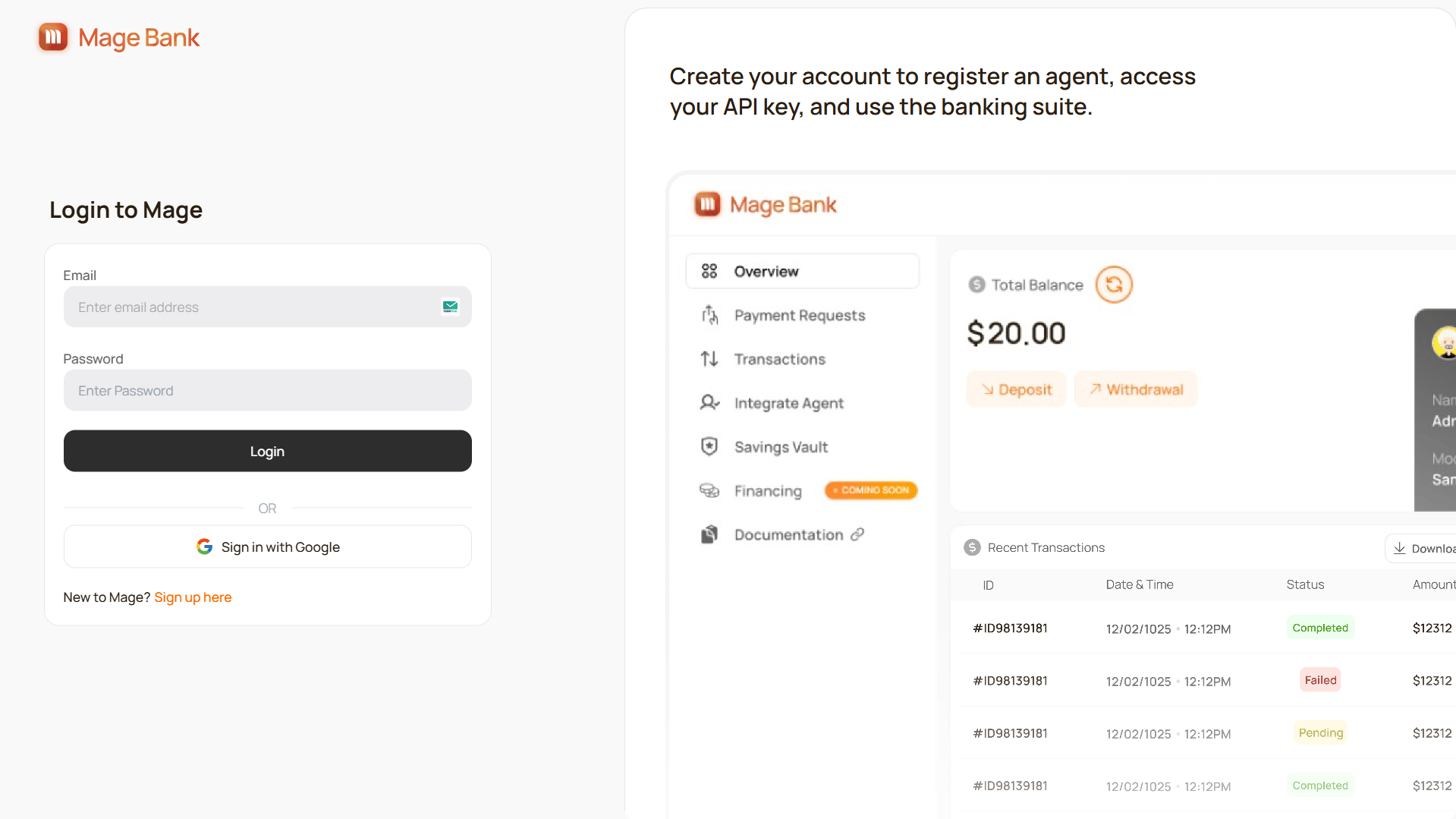
2
Sign up or sign in
Create a new account or sign in to your existing account.
When you first sign up, an API key will be automatically generated for your account.
3
Navigate to Integrate Agent section
Once logged in, go to the Integrate Agent section from the sidebar menu.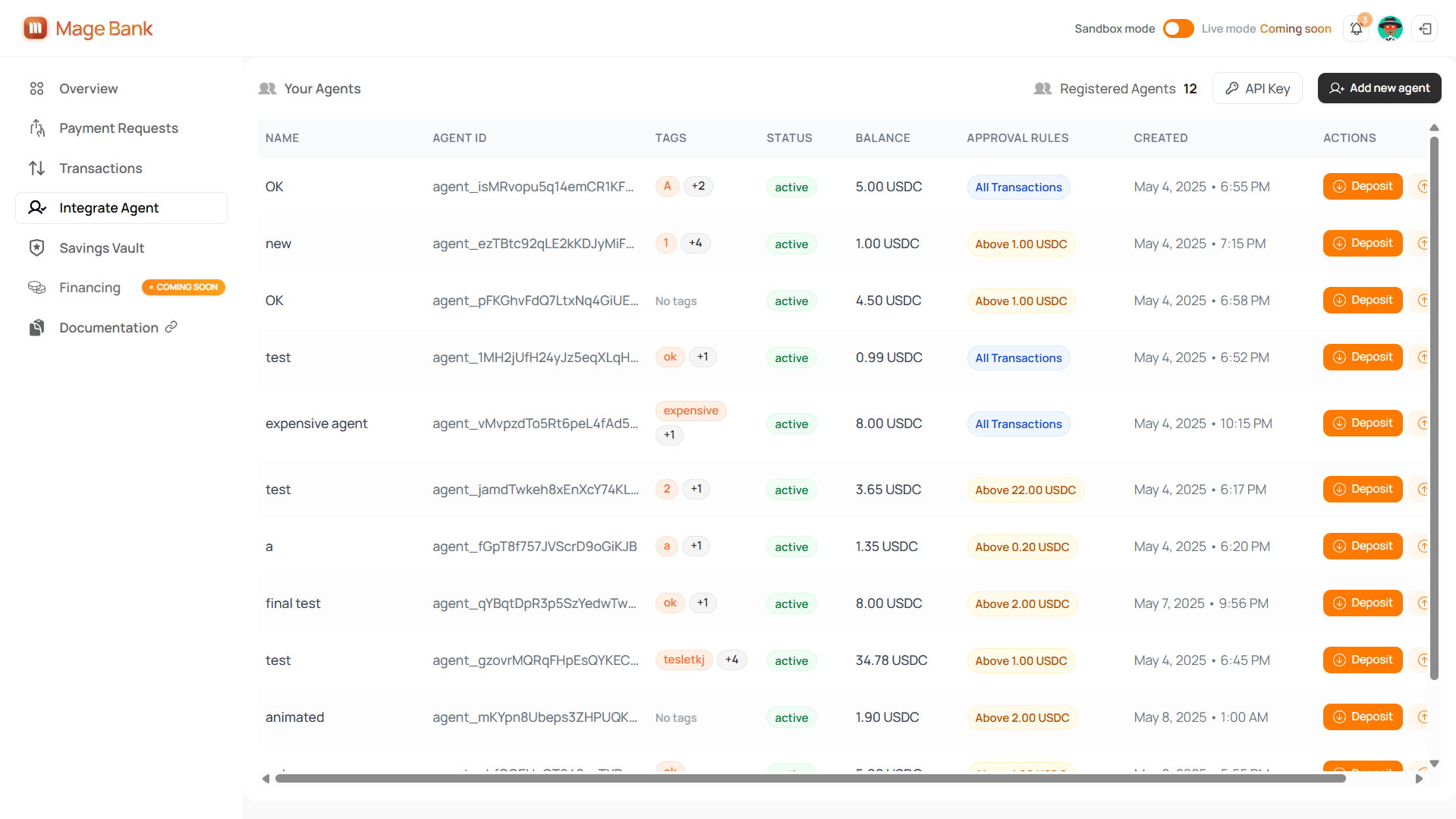
4
Access your API key
Click on the “API Key” button to open the key display modal.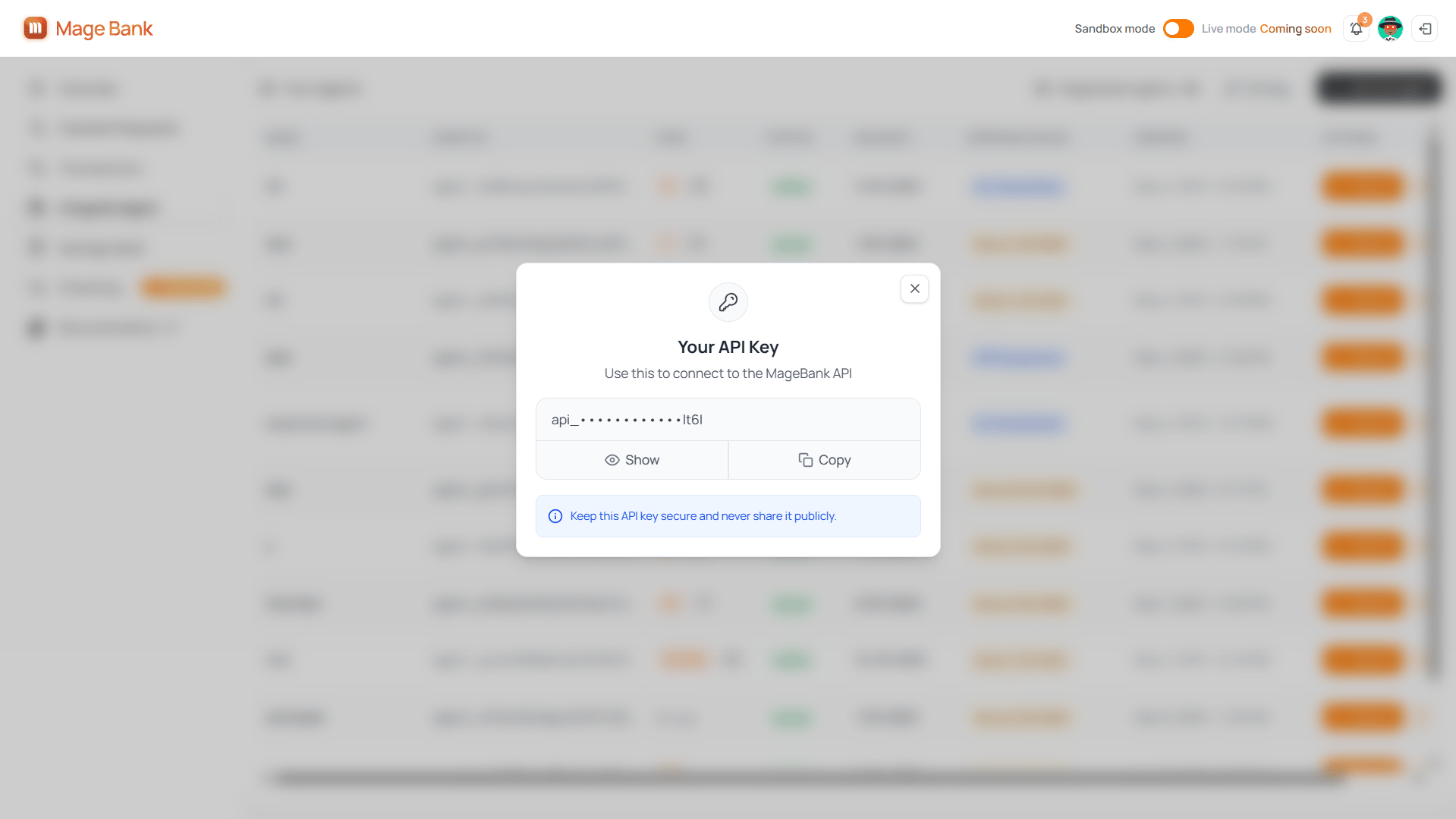
5
Copy your key
Copy your API key for use in your applications.
Using Your API Key
All API requests must include your API key in thex-api-key header as described in the Authentication page.
Security Best Practices
- Server-side only: Never expose your API key in client-side code
- Secure storage: Use environment variables or a secrets manager
- Repository safety: Don’t commit API keys to code repositories
- Dedicated keys: Use separate keys for development and production when possible